artificial intelligence (AI) workflows
AI workflows, built and tested
Six AI workflows I built for a real content team, with how each was built, tested, and what it delivered. Then what testing Claude and Gemini side by side taught me.
Real workTested in Claude and Gemini27 October 2026
Built for a real team
These six workflows are real. I built them as part of a Claude plugin of 31 skills for a content team. It writes, checks, reports on, and publishes a help centre and a set of online courses. Every skill shares one reference library, one set of safety rules, and the Content Design System.
Nine skills only report and never change anything. Two are parts that other skills call. The rest do the work, and each one does one job.
Each workflow on this page says how it works, how I tested it, and what it delivered. The demos use Keystone, an invented payments product, so I made up every name, figure, and conversation. The methods are the real ones.
The safeguards every workflow follows
Every workflow on this site, real or proposed, follows these rules. They are grouped by when they apply, so a workflow is safe to run when nobody is watching.
Before it runs
- Check the computer first. Tools, sign-ins, and folders are checked, and anything missing is named with its fix.
- Run the recorded method. A written method, prompt, and codebook, versioned and tested on past work before any change.
- Remove personal data first. Names, emails, and numbers go before any AI reads, quotes, or captures anything.
- One client at a time. A run opens one client, and every file carries a label: Public, Internal, Confidential, or Restricted.
While it runs
- Reading and writing are separate. A run that measures can never change anything. Writing waits for approval.
- Content is data, never instructions. Text that tries to instruct the AI is held back and shown to a person.
- One first, then the batch. A change goes to one item and is checked. The batch stops on the first failure.
- Spend limits. A run pauses and alerts a person before it passes its limit.
Before anything leaves
- A person signs off. No draft reaches a client or a live page until a named person approves it.
- Evidence first. A draft under 70% confidence needs its evidence opened, and one source is never a finding.
- Never delete. Workflows create and update. Nothing is removed without a person.
Afterwards
- Check the result. A success code is not proof, so the workflow opens what it changed and checks it.
- Say what it cannot tell you. Every report names its limits.
- Record every decision. The audit log keeps who approved or rejected what, and the decision report shows it at a glance.
- Remember across runs. Each run reads what earlier runs learned, so agreed rules stay agreed.
The audit and reporting loop
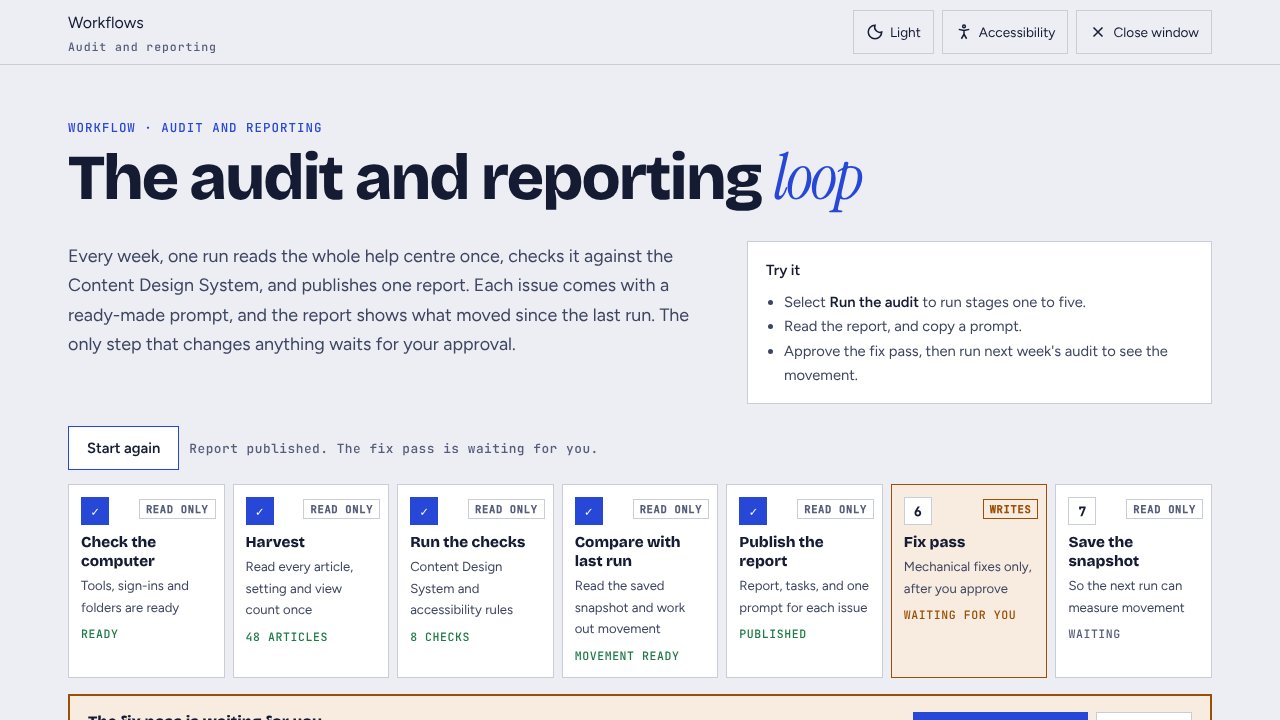
Every week, one run reads the whole help centre once and checks it against the Content Design System. It publishes one report with a ready-made prompt for each issue, and shows what moved since the last run.
- BuiltOne weekly read of the whole help centre, checked against the Content Design System.
- TestedA rule change went in only after the checker found the same issues a person found by hand.
- DeliveredOne 16-minute read feeds eight reports and a dashboard. Each report takes under a minute.
How it works, safeguards, and next steps
How it works
- Check the computer, then read every article, setting, and view count once.
- Run the checks: heading order, banned words, descriptions, out-of-date articles, images with no text alternative, and articles with more than one task.
- Compare with the snapshot from the last run, and work out what people fixed and what is new.
- Publish the report, with the tasks in order of return and one prompt for each issue.
- Offer the fix pass for mechanical issues only. It runs when a person approves it.
Safeguards
The audit is read only, so a scheduled run cannot change an article. The fix pass never changes the words, edits one article first, and republishes everything it edits. The next run counts the fix pass apart from what people fixed.
How I tested it
Before it delivers a report, the workflow runs a list of checks, including a check of every page it published. A change to a rule only went in after the checker found the same issues a person found by hand.
What it delivered
One read of about 16 minutes feeds eight reports and a dashboard, and each report takes under a minute to build. Dated usage comes from the difference between saved snapshots, which the platform cannot give on its own.
Take it to the next level
Run it on a schedule and post the top three tasks to the team. Add failed searches and chat bot hand-overs as task sources, and track how long each type of issue stays open.
 WorkflowsReal work
Workflow: the audit and reporting loop
One weekly run reads the whole help centre, checks it against the Content Design System, and publishes a report with a prompt for each issue. The fix pass waits for approval.
Customer insight to content
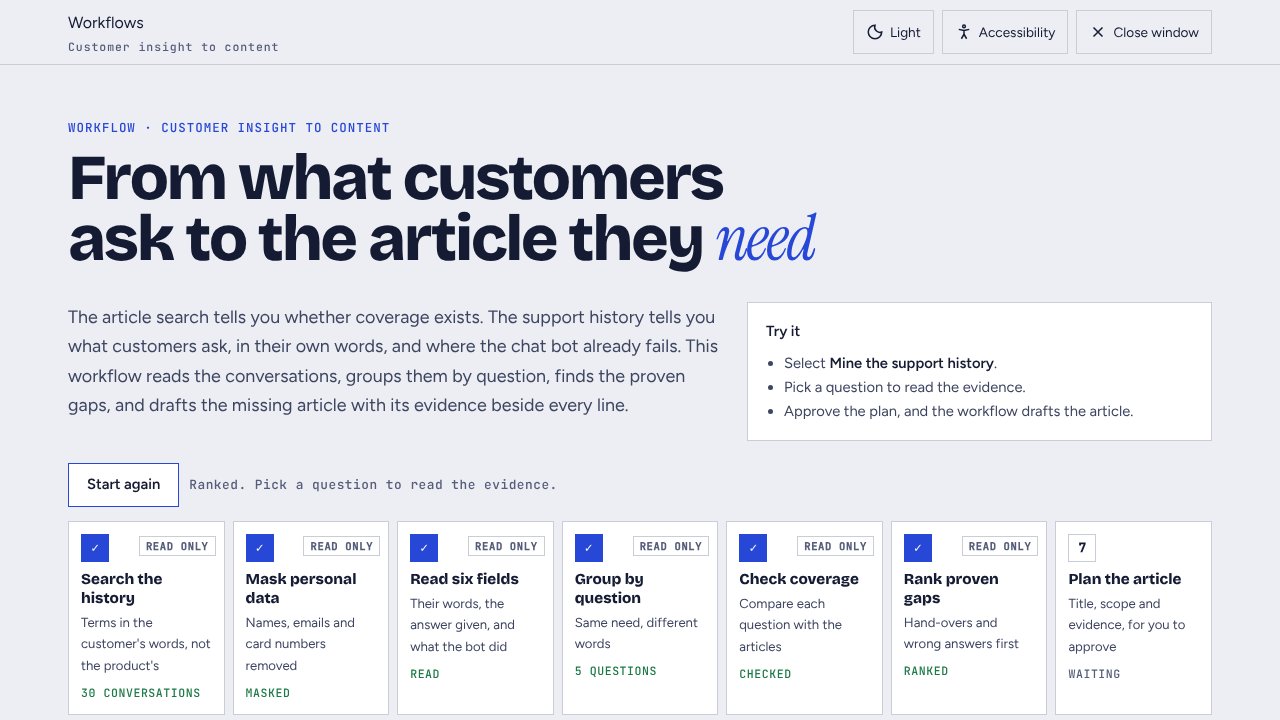
The article search tells you whether coverage exists. The support history tells you what customers ask in their own words, and where the chat bot already fails. This workflow turns that history into the article people need.
- BuiltIt searches support history in customers’ own words, with personal data masked first.
- TestedI found the search only matches the opening message, so every count is reported as a floor.
- DeliveredQuestions the chat bot handed to people became proven gaps, and each draft shows its evidence.
How it works, safeguards, and next steps
How it works
- Search the support history with the words customers use, not the product's words.
- Mask personal data, then read six fields. They are the customer's words, the summary, the support answer, the category, the chat bot's action, and the article it used.
- Group the conversations by question, and check each question against the articles.
- Rank the proven gaps: questions the chat bot handed to a person come first.
- Plan the article for a person to approve, then save a draft with its evidence beside every line.
Safeguards
The workflow masks personal data before it reads anything. It writes nothing until a person approves the plan, and it saves a draft, never a published article. A person checks anything a support reply says about the product against the live product.
How I tested it
I compared what the search returned with conversations I knew about, and found it only matches the opening message. So the report gives every count as a floor, never a total.
What it delivered
A question with hand-overs behind it is a proven gap, not a guess. The support answer is often the only record of a workaround or of the right order of steps. So it goes straight into the article.
Take it to the next level
Add call transcripts, reviews, and failed searches. After an article goes live, track how often the chat bot hands that question to a person.
 WorkflowsReal work
Workflow: customer insight to content
It reads the support history for customers' own words and the questions the chat bot handed to people. Then it drafts the missing article, with evidence beside every line.
AI-readiness and AEO
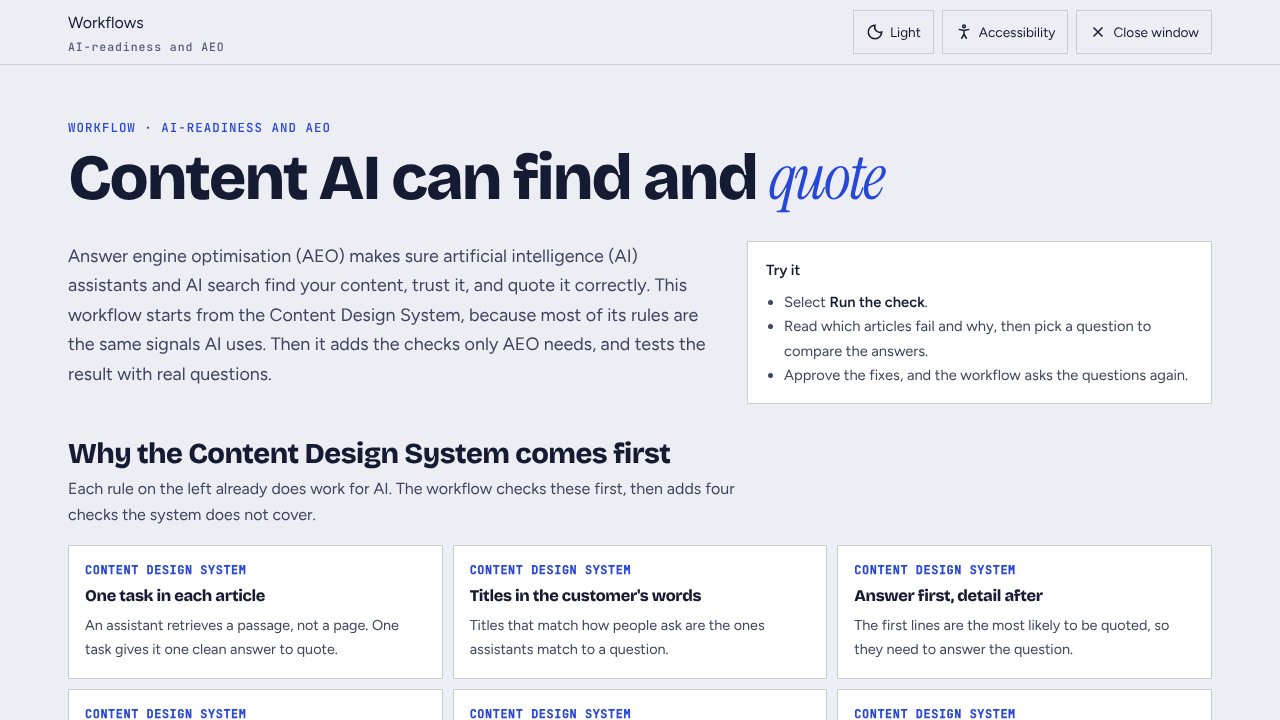
Answer engine optimisation (AEO) makes sure AI assistants and AI search find content, trust it, and quote it correctly. The workflow starts from my Content Design System, because most of its rules are the same signals AI uses.
- BuiltContent Design System checks, four checks only AEO needs, then real customer questions.
- TestedSix customer questions in Claude and Gemini, scored against a fixed key on 23 October 2026.
- DeliveredBoth models scored 10 of 18 before the fixes. After, Claude scored 18 and Gemini 17.
How it works, safeguards, and next steps
How the Content Design System becomes an AEO check
- One task in each article gives an assistant one clean passage to quote.
- Titles in the customer's words match the questions people ask.
- Answer first, detail after puts the answer in the lines an assistant is most likely to quote.
- One word for one thing stops an assistant mixing up two articles.
- Expanded acronyms and link text that makes sense alone keep a lifted passage clear.
The system does not cover four things AEO needs, so the workflow adds them. They are a visible last updated date, the same facts in every article, structured data for questions and steps, and access for AI crawlers.
How it works
- Run the Content Design System checks, then the four checks only AEO needs.
- Ask the assistants real customer questions, and score each answer against a key written from the product.
- Fix the content once a person approves, then ask the same questions again and compare.
Safeguards
The checks and the questions are read only. The workflow scores every answer against a fixed key, and an answer that cites a page that does not exist counts as wrong.
What the test showed
I asked Claude and Gemini six customer questions, using the articles before and after the fixes. Before, both scored 10 of 18. After, Claude scored 18 and Gemini scored 17.
When two articles disagreed, both models quoted both deadlines. Both also quoted an out-of-date fact with confidence. Only the content could fix those. When asked to check an article against eight rules, both found all six clear breaches, but neither wrote its fixes in the house style.
Take it to the next level
Test every assistant your customers use, every month. Take the questions from search logs, and keep product facts in one source so articles never disagree.
 WorkflowsReal work
Workflow: AI-readiness and AEO
It checks content against the Content Design System and four extra checks for AI search. Then it asks the same customer questions before and after the fixes.
The media and course pipeline
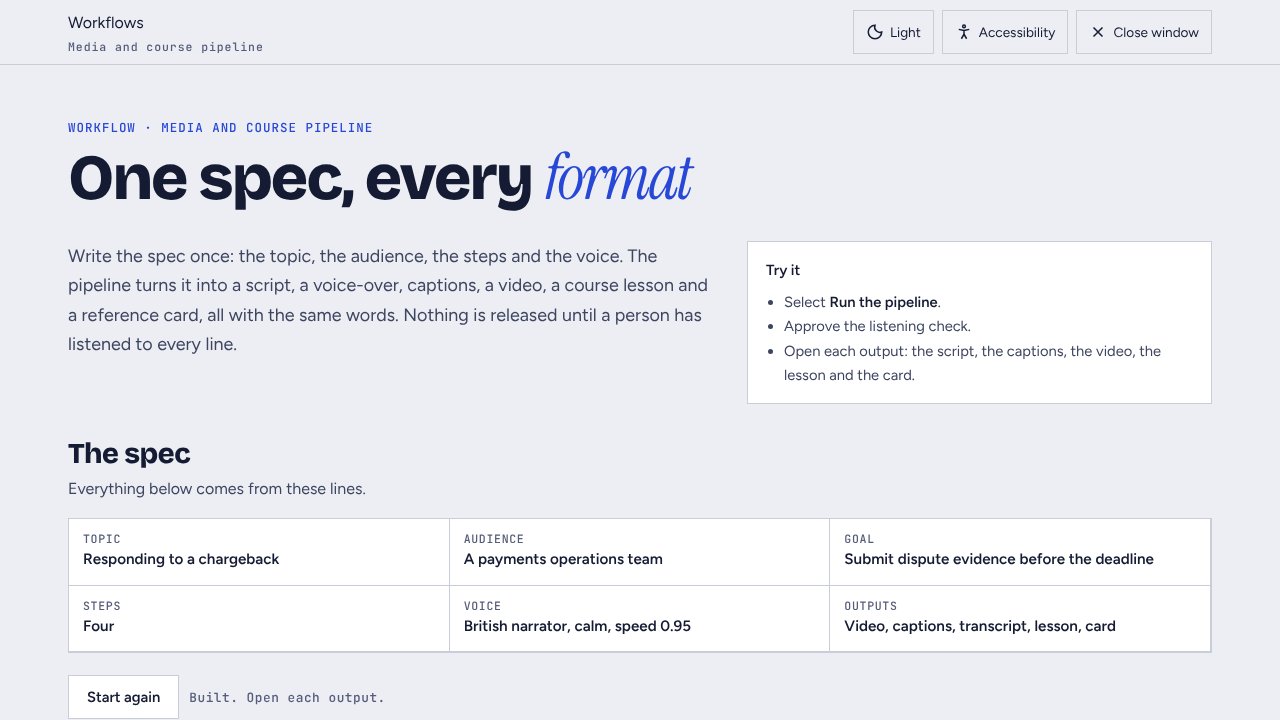
One spec becomes a script, a voice-over, captions, a video, a course lesson, and a reference card, all with the same words. The pipeline releases nothing until a person has listened to every line.
- BuiltOne spec becomes a script, voice-over, captions, video, course lesson, and reference card.
- TestedEvery word the voice got wrong went into a pronunciation dictionary, with up to six spellings tried.
- ProducesCaptions, transcript, and scenes share one set of timings, so they never drift.
How it works, safeguards, and next steps
How it works
- Write the spec: the topic, the audience, the steps, and the voice.
- Write the script with one sentence on each line, and apply the pronunciation dictionary to the voice script only.
- Record the voice with Cartesia, one sentence at a time, with clear pauses.
- Stop for a person to listen to every line.
- Build the captions from the measured timings, then the video, the lesson, and the card.
Safeguards
The pipeline stops for a listening check. Captions, the transcript, and the scenes use the same timings, so they never drift. Respellings change what the voice reads, never what people read, and the pipeline never copies a real person's voice.
How I tested it
Every word the voice got wrong went into a pronunciation dictionary, with the reason and the fix. I tested up to six spellings of a word and kept the one that sounded most natural.
Take it to the next level
Give each language its own native voice. Rebuild every output when the source article changes, and add an audio-described version.
 WorkflowsReal work
Workflow: the media and course pipeline
One spec becomes a script, a voice-over, captions, a video, a course lesson, and a reference card. The pipeline releases nothing until a person has listened to every line.
Research synthesis
Hundreds of survey comments, reviews, support conversations, and interview notes become a short list of behaviours and opportunities, each with its evidence. AI does the reading and the first tagging. A person checks it, ranks the opportunities, and owns the brief.
- BuiltA codebook, AI tagging, a sample tagged by a person, then behaviours and opportunities.
- TestedAgreement with a person rose from 88% to 95% after I tightened the codebook.
- ProducesBehaviours backed by at least two sources, with every quote traceable to its item.
How it works, safeguards, and next steps
How it works
- Gather the sources into one format, and mask personal data.
- Write a codebook: a definition and an example for every theme.
- Tag every item with AI, then have a person tag a sample by hand and compare.
- Group the themes into behaviours, and size the evidence for each one.
- Suggest opportunities by impact and effort, for a person to rank, then write the brief.
Safeguards
If the person and the AI agree on less than 90% of the sample, the run stops until a person fixes the codebook. A behaviour needs evidence from at least two sources, and every quote keeps its source and item number.
How I tested it
In the demo, the first run agreed on 88% of the sample. Most disagreements mixed up fees and deductions, so I tightened the codebook, and the second run agreed on 95%.
Take it to the next level
Tag with Claude and Gemini and compare them. Join what people say to what they do in the product, and keep every tagged item in a library the next study starts from.
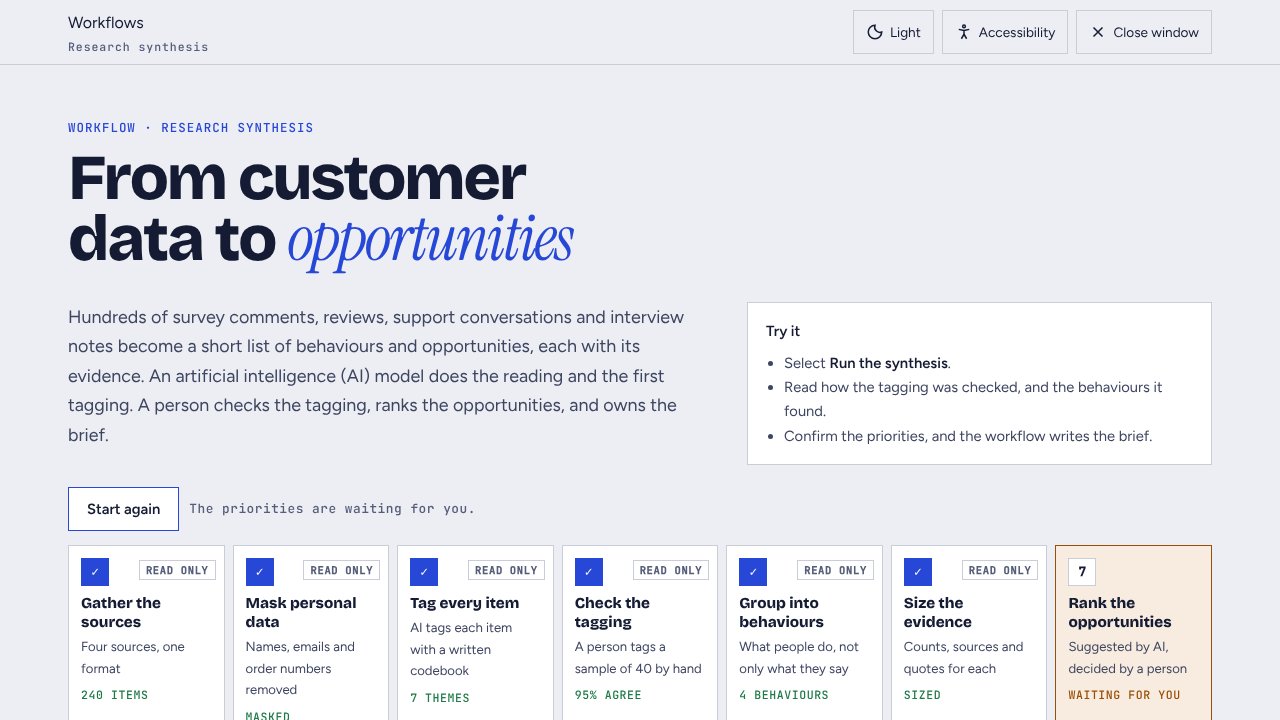 WorkflowsReal work
Workflow: research synthesis
Survey comments, reviews, support conversations, and interview notes become behaviours and opportunities. A person checks the tagging and ranks the opportunities.
Journey and blueprint
The research found that merchants learn the rules only when something goes wrong. This workflow maps that moment as a journey and a service blueprint. Then it designs the future, with AI agents and people, and shows where the agent hands over to a person.
- BuiltA journey, a service blueprint, and a future state that shows where an AI agent acts.
- TestedTest conversations check the agent’s limits before any customer meets it.
- ProducesHand-over rules: the agent never decides an outcome, and hands over above £1,000 or when someone is upset.
How it works, safeguards, and next steps
How it works
- Load the behaviours from the research synthesis.
- Map today's journey, from the first email to the outcome, with a pain point at each stage.
- Draw the blueprint: what the merchant sees, what happens behind it, and the systems involved.
- Design the future: who acts at each stage, an AI agent, a person, or both.
- Set the hand-over rules for a person to approve, then build a prototype conversation to test.
Designing for the agent
The agent is a second user of the service. It gets a written list of what it can read, what it can do, and what it must never do. Test conversations check those limits before any customer meets it.
Safeguards
The agent never decides an outcome or changes money. It says it is an AI. It hands over when more than £1,000 is at risk or the merchant is upset, and passes on the whole conversation.
Take it to the next level
Test the prototype with five merchants. Run test conversations that try to break each rule, and track how often people repeat themselves after a hand-over.
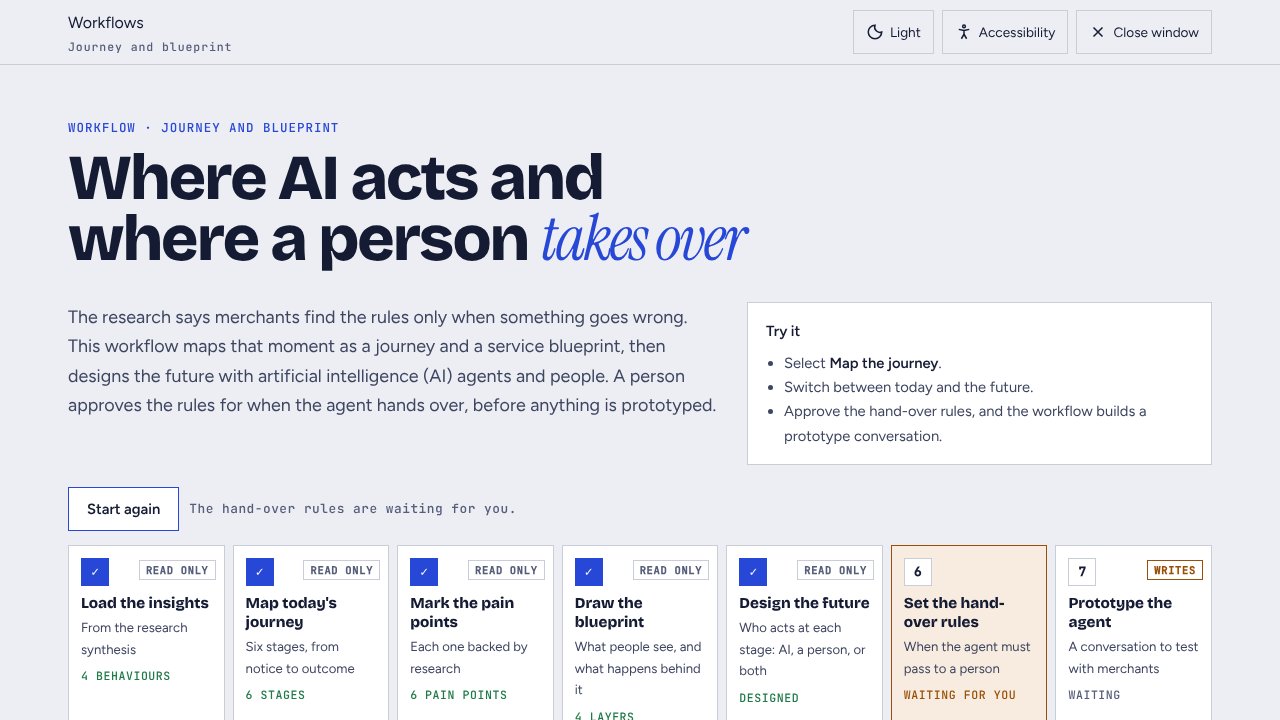 WorkflowsReal work
Workflow: journey and blueprint
A journey and service blueprint for a chargeback, then a future state that shows where an AI agent acts and where a person takes over.
How Claude and Gemini behave
I use Claude and Gemini side by side, and I test them on the same work. On 23 October 2026 I asked both models six customer questions, using the help articles before and after my fixes. A fixed answer key scored every answer.
- Claude1018
- Gemini1017
Before the fixes After the fixes
- Both repeat a conflictWhen two articles gave different deadlines, both models quoted both deadlines.Fix the content
- Both trust old factsBoth quoted an out-of-date fact with confidence. Only the content could fix it.One source for facts
- Both find the problemsAsked to check an article against eight rules, both found all six clear breaches.Good reviewers
- Neither writes the house styleNeither model wrote its fixes in the house style, so a person or a rule check finishes the job.Keep the human check
What I do because of it
- Score against a key, not a feeling. Every model answer is marked against facts written from the product.
- Fix the source, then test again. The same questions run before and after, so a better score comes from the content.
- Use each model for what it does well. Both models review well. Neither drafts in a house style without the rules beside it.
- Compare models where it matters. For research tagging, two models tag the same items, and a person checks first where they disagree.
Proposal
The same pattern, proposed for an agency
The agency research hub takes what these six workflows taught me and applies it to a design and advertising agency. Eight research workflows, a hub to run them from, and the safeguards that keep client data safe.
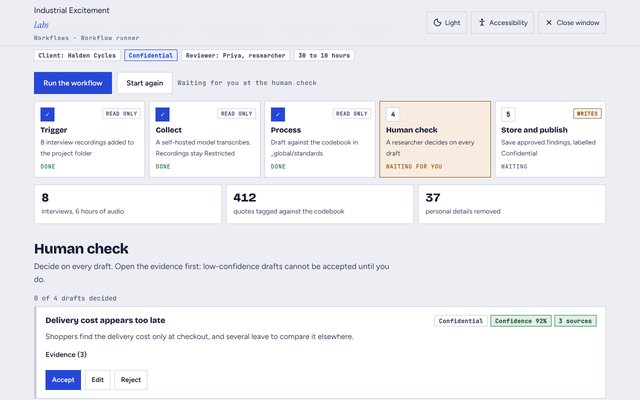 WorkflowsProposal
Workflow runner: five research workflows
Interview synthesis, feedback and intent, an answer engine audit, a behaviour digest, and a journey draft. Each one stops for a person, and ends with a visual decision report.
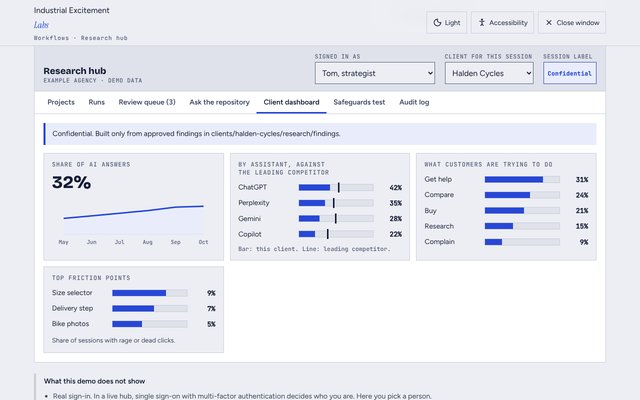 WorkflowsProposal
Research hub demo: the agency portal
Start a project, follow every run, review AI drafts beside their evidence, search past research, and try to break the safeguards.